The USCIS Photo Tool: What It Does Well, and When Not to Use It (2026)
The 'USCIS photo tool' is really the State Department's free cropper. Where it shines, what it can't fix, and the three situations where you shouldn't use it at all.
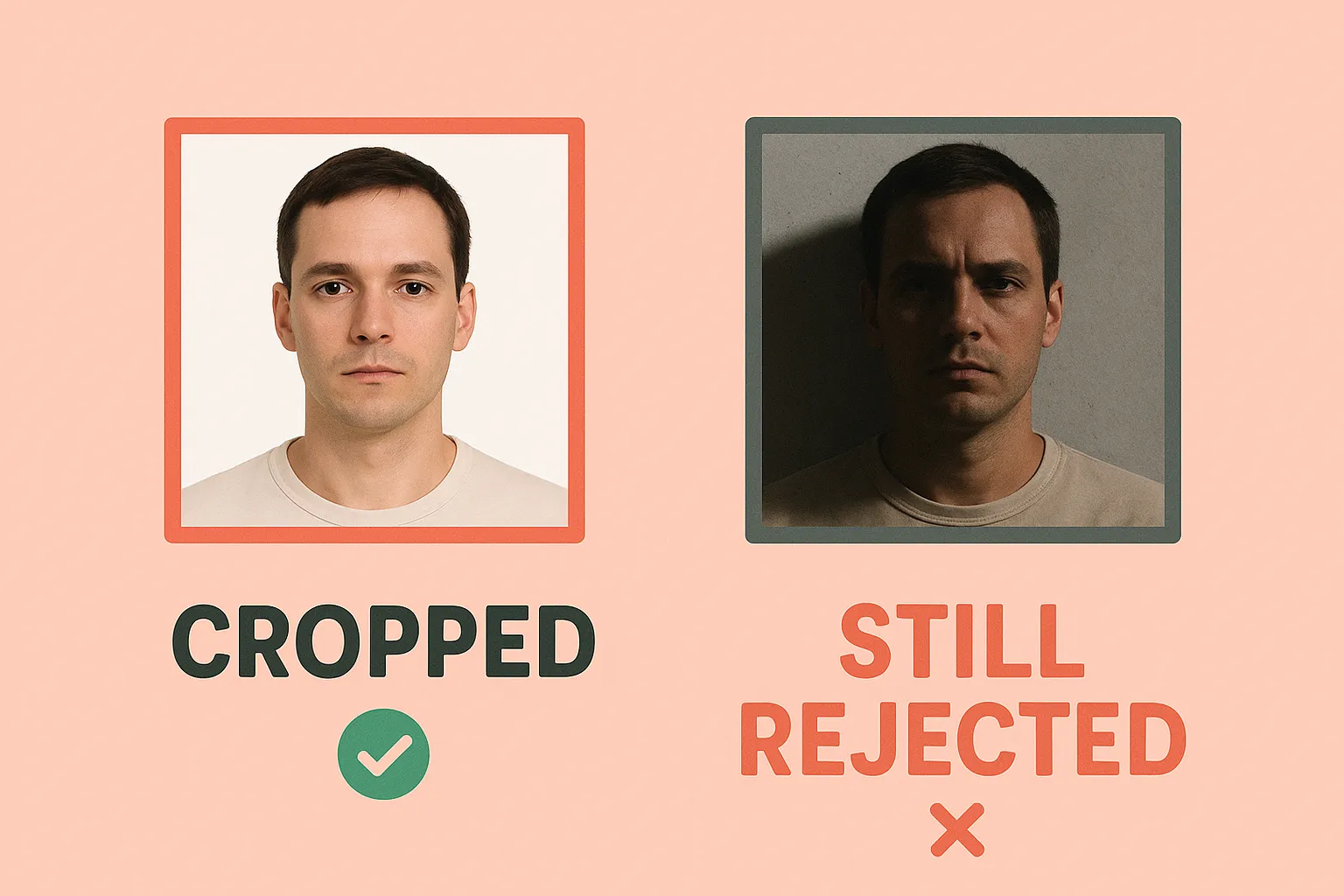
Short answer: the tool most people call the “USCIS photo tool” is actually the State Department’s Photo Tool at tsg.phototool.state.gov, it is free and official, and if your photo is already compliant it is a perfectly good way to crop it to the 2x2 spec. Use it. But it is a cropper, not a compliance checker, and there are three situations where using it is the wrong move entirely, one of which the tool warns you about on its own front page.
First, the name confusion
USCIS does not offer a public photo tool. When you search “USCIS photo tool,” what you find is the Department of State’s cropper, built for passport and visa photos. That mix-up matters more than it used to: since December 12, 2025, USCIS captures your photo at the biometrics appointment for the major forms (I-485, I-90, N-400, N-600) and, in its own words, “will not use or reuse self-submitted photographs.” So a chunk of the people searching for a USCIS photo tool no longer need any photo tool at all. More on that below.
What the tool actually does (we walked through it)
We opened the tool and walked its flow on August 13, 2026. As the tool presents it: choose a photo from your device, review the proposed crop (or crop manually), then either download the cropped image or proceed toward an application. Around the cropper it offers genuinely useful galleries of good and bad examples: distance, expression, glasses, head coverings, shadows, backgrounds, resolution, and baby photos.
What it is good at:
- The crop geometry. It produces the correct square crop with your head positioned to the official spec, which is the part most people get wrong when cropping by hand.
- It is free and official. No account, no watermark, no upsell. If your photo is already compliant, you do not need to pay anyone, including us.
- The example galleries are the clearest official visual reference for why photos get rejected.
What it does not do, and does not claim to do:
- It does not judge compliance. The State Department is explicit that the tool “is intended for photo cropping only” and that an employee makes the final call on acceptability. A photo with shadows, a grey wall, or glasses will crop beautifully and still be rejected later.
- It does not fix anything. No background replacement, no lighting correction. Cropping a non-compliant photo produces a well-cropped non-compliant photo.
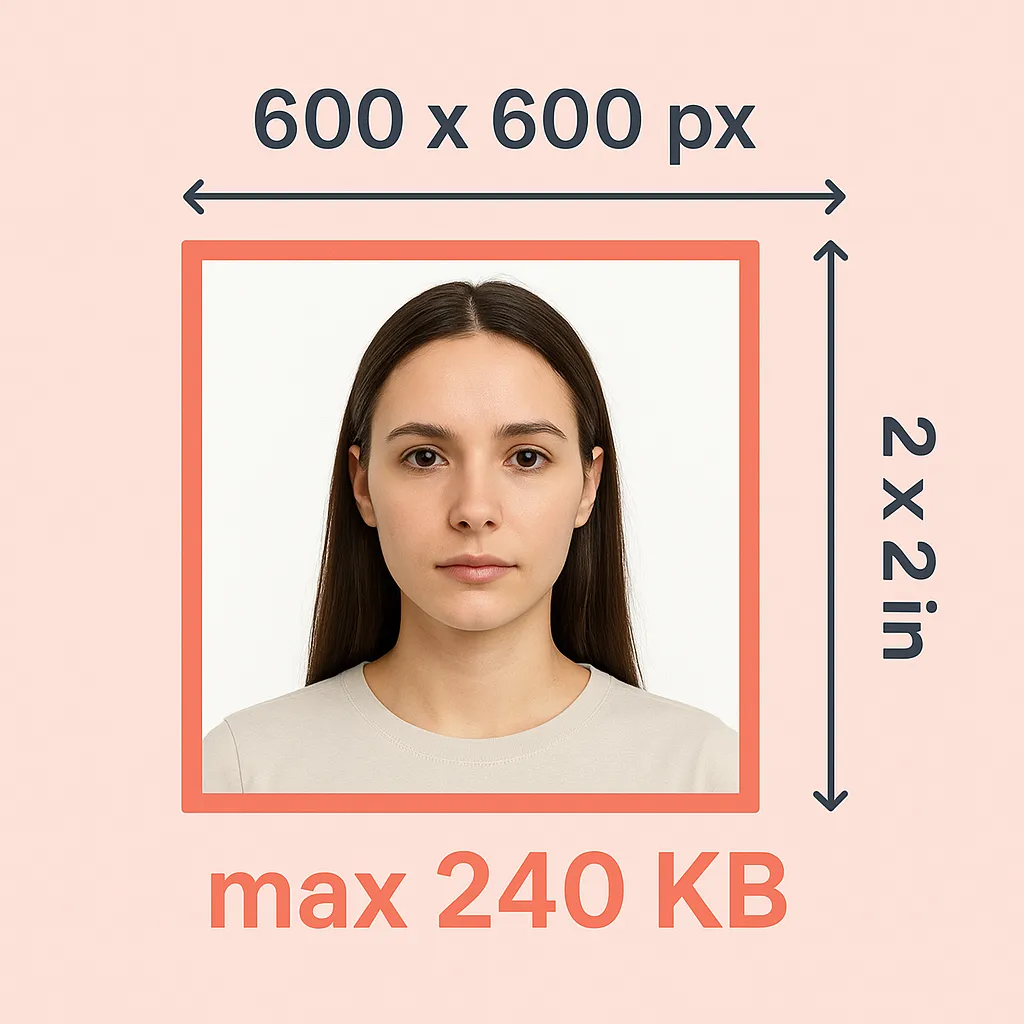
- It does not check your file against upload limits. The DS-160 caps uploads at 240 KB; the cropper’s output can still need re-exporting.
When not to use it
1. Online passport renewal. This one is not our opinion; it is the warning on the tool’s own front page: “US Citizens: Do not use this tool if you are renewing your passport online. Photo Tool is intended for cropping your photo only when you are applying in person or by mail.” MyTravelGov’s renewal flow has its own photo upload with its own checks; feed it your original, uncropped photo.
2. The big USCIS forms, filed since December 12, 2025. If your form is I-485 (green card), I-90 (replace a green card), N-400 (naturalization), or N-600, USCIS takes a new photo at your Application Support Center appointment and will not use one you made yourself. Cropping a photo for these filings is effort spent on an image nobody will look at. The details and the routes that still need photos are in our route-by-route breakdown.
3. When your photo has a compliance problem. The galleries will show you what is wrong, but the cropper cannot make it right. A cream wall, face shadows, or glasses need either a re-shoot or actual processing. That is the case where a paid tool earns its dollar: our US visa photo tool replaces the background, checks head size against the spec, and outputs both the DS-160-sized digital file and a print sheet. If your wall was white and your lighting was even, you do not need it; use the free cropper.
Where it fits by route
| Your situation | Use the State Dept tool? |
|---|---|
| DS-160 nonimmigrant visa, compliant photo | Yes, crop and go (watch the 240 KB upload cap) |
| DV lottery entry | Yes, same 600x600 square spec |
| Paper passport application (DS-11, or renewal by mail) | Yes, crop then print 2x2 |
| Online passport renewal | No. The tool itself says not to |
| I-485 / I-90 / N-400 / N-600 filed since Dec 12, 2025 | No photo needed at all; USCIS captures it at biometrics |
| Photo has background, lighting, or glasses problems | No. Crop can’t fix it; re-shoot or process it |
The honest bottom line
The free official cropper and a paid tool are not competitors on the same job. The cropper crops; it assumes your photo is already right. A paid tool exists for photos that are not right yet. Decide which problem you have, and use the one built for it: compliant photo, free cropper; problem photo, fix it first; big USCIS form filed this year, close the tab and wait for your biometrics appointment.
Sources: State Department Photo Tool (walked through 2026-08-13), travel.state.gov visa photo requirements, USCIS Policy Alert PA-2025-29 (PDF). All checked 2026-08-12/13.
Need this photo now? Make it in 2 minutes for $1.
Ready to create your passport photo?
Get a compliant photo in 2 minutes for just $1. No signup required.